



PandaCue’s Virtual Waiting Room connects directly to your existing calendar and online booking, so it doesn’t create a separate system to manage.
When an appointment is booked, the client gets a check-in link tied to that visit.
On the day of the appointment, the client taps the link to confirm they’ve arrived. They can do this from the parking lot, a nearby coffee shop, or their car.
Your front desk sees a live list of who’s checked in and how long they’ve been waiting, without anyone standing at the counter.
When the provider is ready, staff send a one-tap “ready” notification. The client gets a text and walks in right as their service starts.
No lobby small talk, no flipping through old magazines, no guessing when to show up.
For walk-ins, staff can add someone to the same queue manually, so the front desk still has one view of everyone waiting, whether they booked ahead or not.
What Changes for Your Front Desk Team
The biggest shift is fewer interruptions. Instead of managing a room full of people, your team manages a screen.
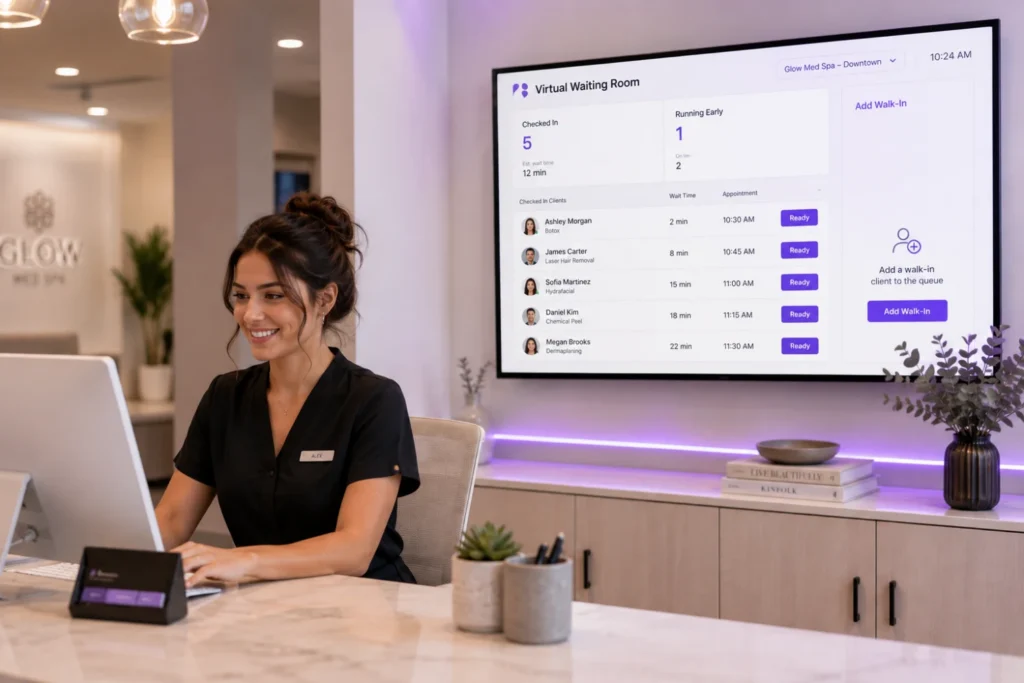
They know exactly who’s waiting, who’s running early, and who needs a heads-up about a delay, and they can send that update with a text instead of an awkward conversation across the counter.
This matters even more for multi-location businesses.
A manager can check queue status across every location from one dashboard instead of calling each front desk to ask how backed up they are.
Why This Matters for Client Experience
Clients don’t love waiting rooms. They tolerate them. Giving people their time back, even fifteen minutes, changes how they remember the visit.
A client who gets a text saying “come on in” feels like your business is organized.
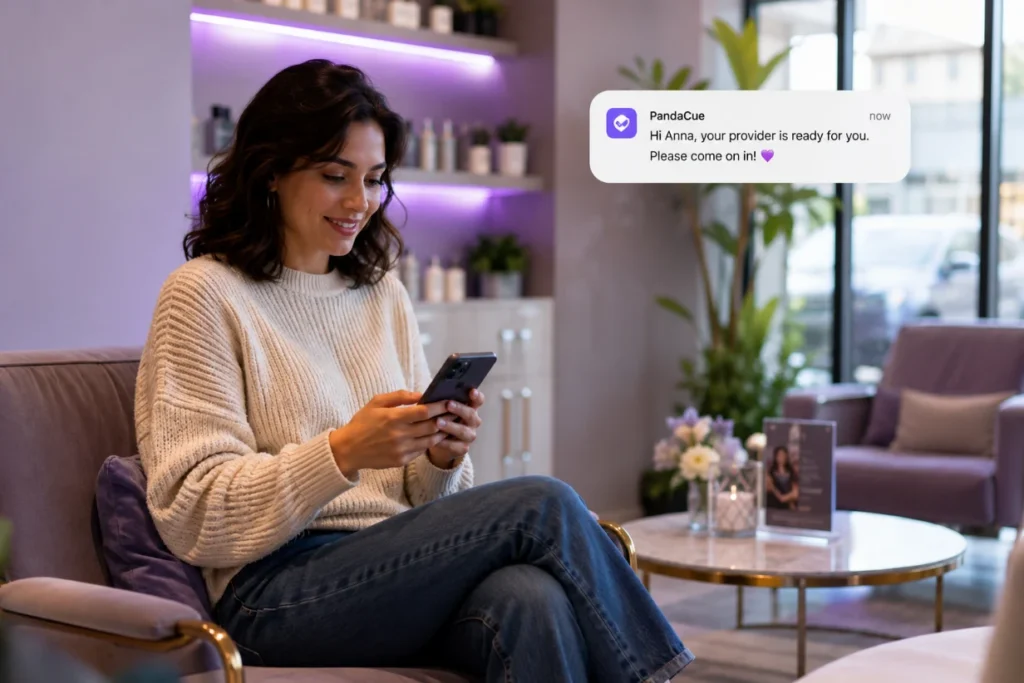
A client who sits under fluorescent lights wondering if anyone remembers they’re there does not.
For a nail salon or barbershop, this means less foot traffic congestion during peak hours.
For a med spa, it means clients can wait in privacy until their provider is actually ready, which matters when the appointment itself is a sensitive one.
Setting It Up Without Overcomplicating Things
You don’t need a separate app or a new device at the counter. The Virtual Waiting Room lives inside PandaCue’s existing scheduling and client management tools.
So check-in links go out the same way appointment confirmations already do.
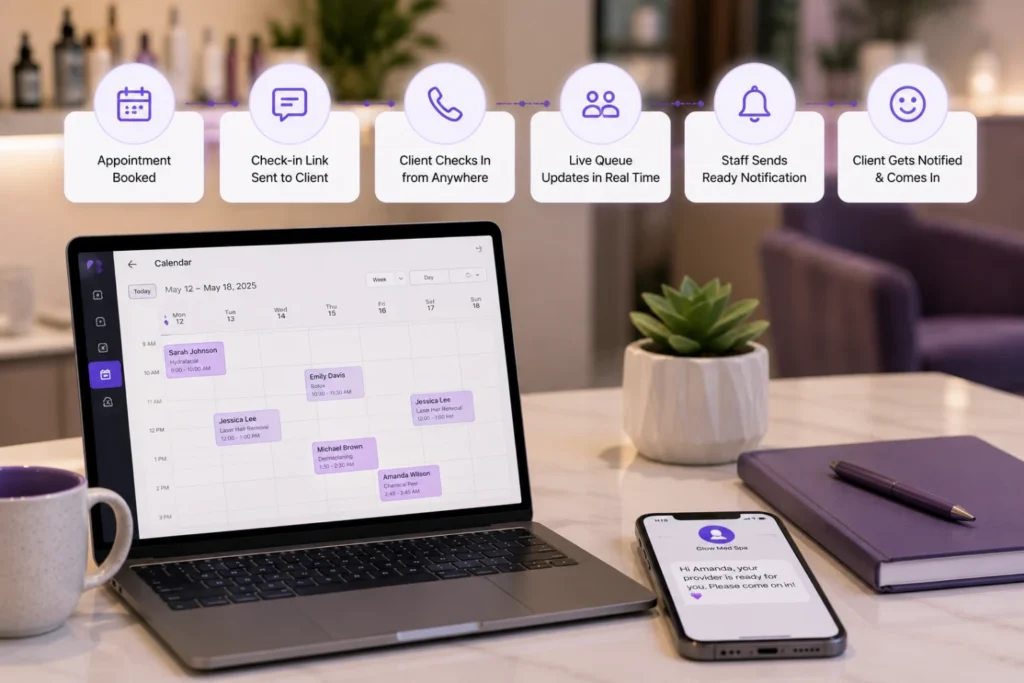
Staff training is mostly just knowing where the live queue lives on their screen.
Businesses running multiple locations get one added benefit: a consistent check-in experience everywhere, without each front desk building its own process for handling arrivals.
A Quick Word on Compliance
For med spas, keeping the check-in process off a shared clipboard or sign-in sheet also supports HIPAA-conscious handling of client information.
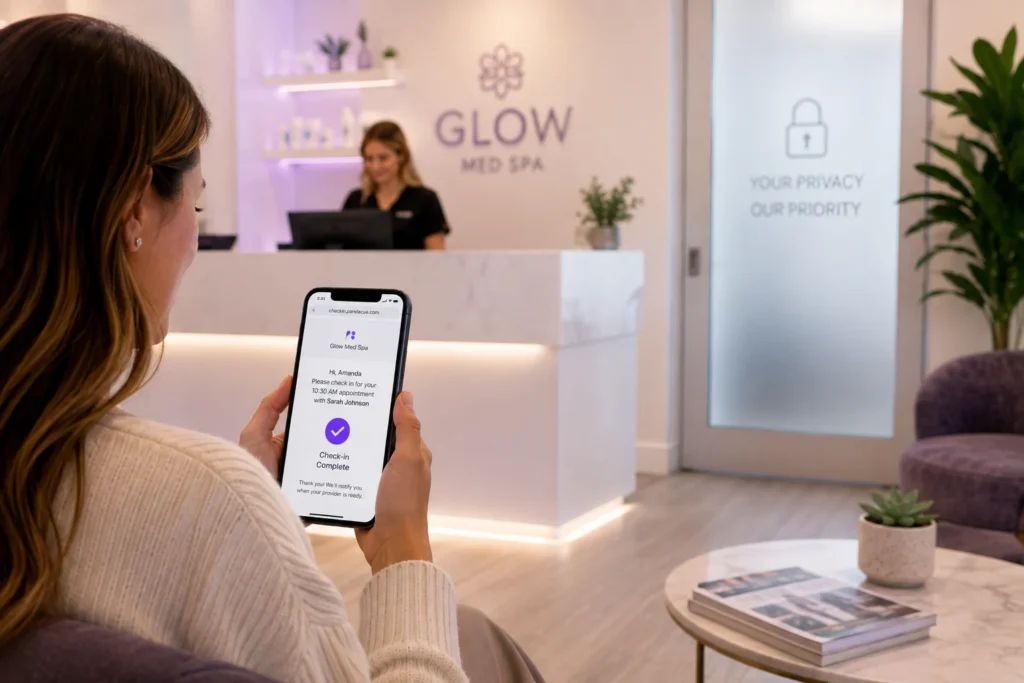
Nobody’s name and appointment reason is visible to the next person in line.
That’s a small detail that matters a lot in a medical setting.
FAQs
Does the Virtual Waiting Room work for walk-in clients?
Yes. Staff can add walk-ins to the same live queue used for scheduled appointments, so front desk has one list to manage instead of two.
Do clients need to download an app?
No. Clients check in through a link sent by text or email, tied directly to their appointment.
Can multiple locations see their own queues separately?
Yes. Each location manages its own live waiting list, and managers overseeing several locations can check status across all of them from one view.
Does this replace online booking?
No. It works alongside it. Online booking gets the appointment on the calendar; the Virtual Waiting Room manages the day-of arrival and check-in.
Is this useful for a small, single-location salon?
Yes. Even a small shop benefits from knowing who’s actually arrived versus who’s just on the schedule, especially during busy weekend hours.
How do clients get notified their appointment is starting?
Staff send a ready notification with one tap, and the client receives a text letting them know to come in.