
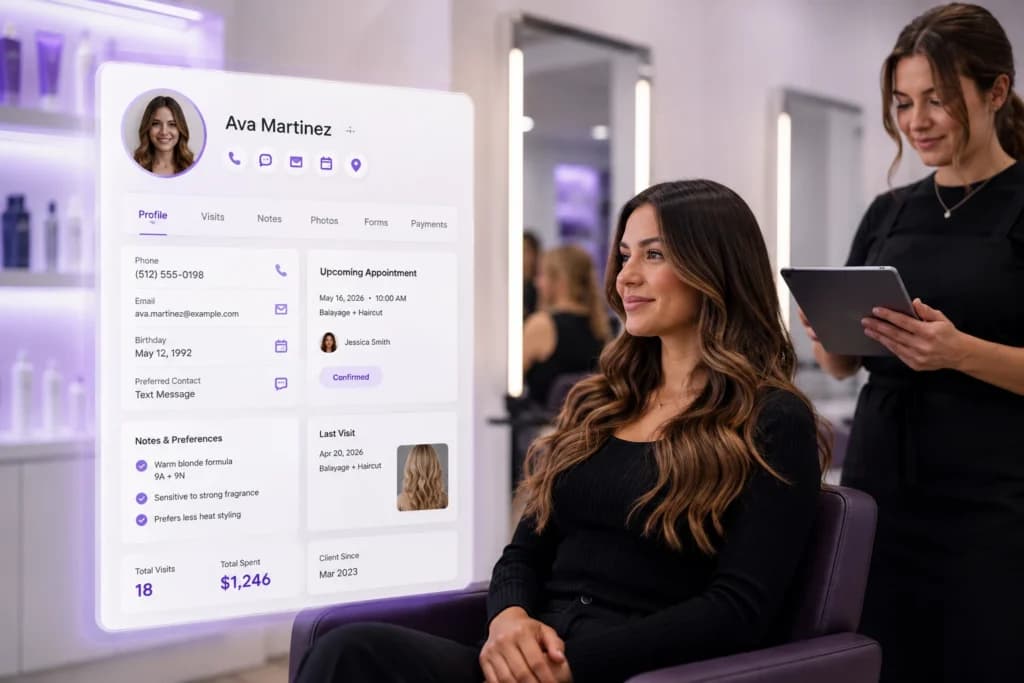
Clients notice when you remember them. They also notice when you don’t.
If a stylist asks “have you been here before?” to someone on their fifth visit, that client feels like a number. If the front desk can’t find a client’s allergy note before a facial, that’s not just awkward it’s a real risk.
Good client management fixes three things at once:
- It protects revenue. You can see who hasn’t booked in 60 days and reach out before they find another salon.
- It protects service quality. Notes on color formulas, pressure preferences, or product sensitivities travel with the client, not just with one stylist’s memory.
- It protects your team’s time. Nobody has to call a former employee to ask “what was that client’s usual order again?”
Salons and spas run on repeat business. Most of your revenue comes from clients who’ve already been in your chair.
A system that helps you keep them is doing the most important job in your business.
What Belongs in a Client Profile
Not every business needs every field. But a solid client profile usually includes these pieces.
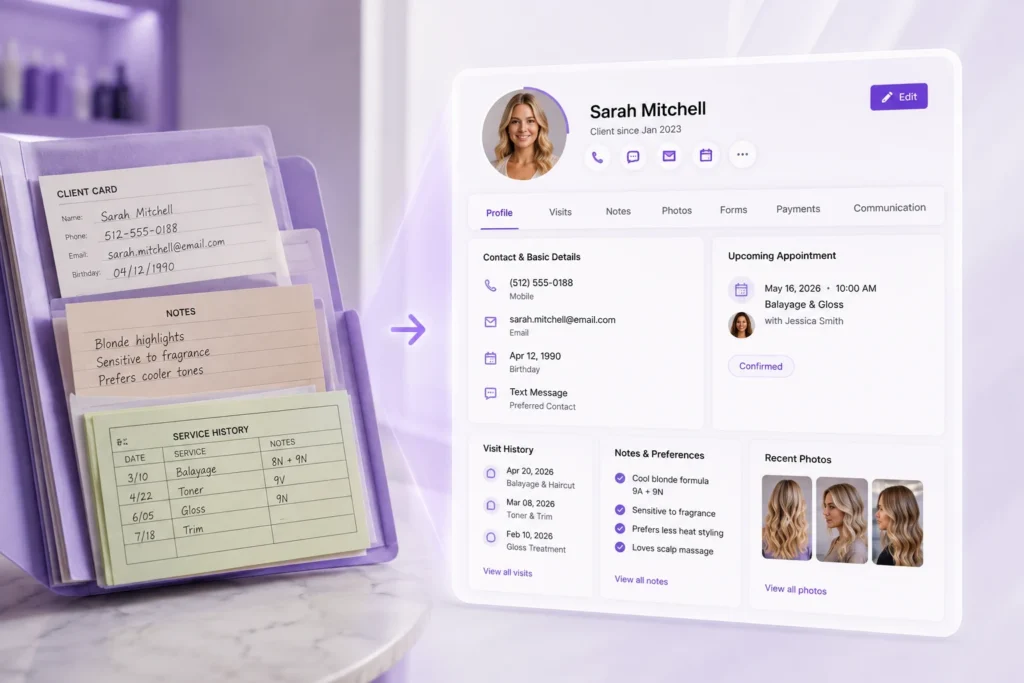
Contact and Basic Details
Name, phone, email, birthday, and how they prefer to be reached. Simple, but easy to get wrong when it’s scattered across three tools.
Visit and Purchase History
Every appointment, every product bought, every service completed. This tells you what a client actually does, not just what they say they like.
Notes and Preferences
Color formulas, allergy warnings, pressure settings, product recommendations, or anything a stylist would want to know before the client sits down.
Photos
Before-and-after shots are useful for both the client and the provider, especially for services like color correction or skin treatments where progress matters.
Forms and Consents
Intake forms, waivers, and consent documents attached directly to the profile instead of a paper folder in a drawer.
Payment Methods
A saved card on file speeds up checkout and supports things like membership billing or no-show fees.
Communication History
Texts, emails, and calls in one thread, so anyone on your team can see what’s already been said.
Common Mistakes Salons Make With Client Data

Keeping notes in someone’s head instead of the system
If only one stylist knows a client’s color formula, you have a problem the day that stylist calls in sick.
Using a paper client card that never leaves the station
It works until the card gets lost, coffee-stained, or left behind when a client switches providers.
Splitting data across too many tools
Contact info in one app, appointment history in another, payment details somewhere else. Every switch is a chance to miss something.
Never updating old information
A profile with an outdated phone number or a preference that changed two years ago is worse than no profile at all, because it creates false confidence.
Treating client notes as optional
Front desk staff under time pressure skip the notes step. Over months, that gap adds up to lost personalization.
How to Set Up Client Management the Right Way
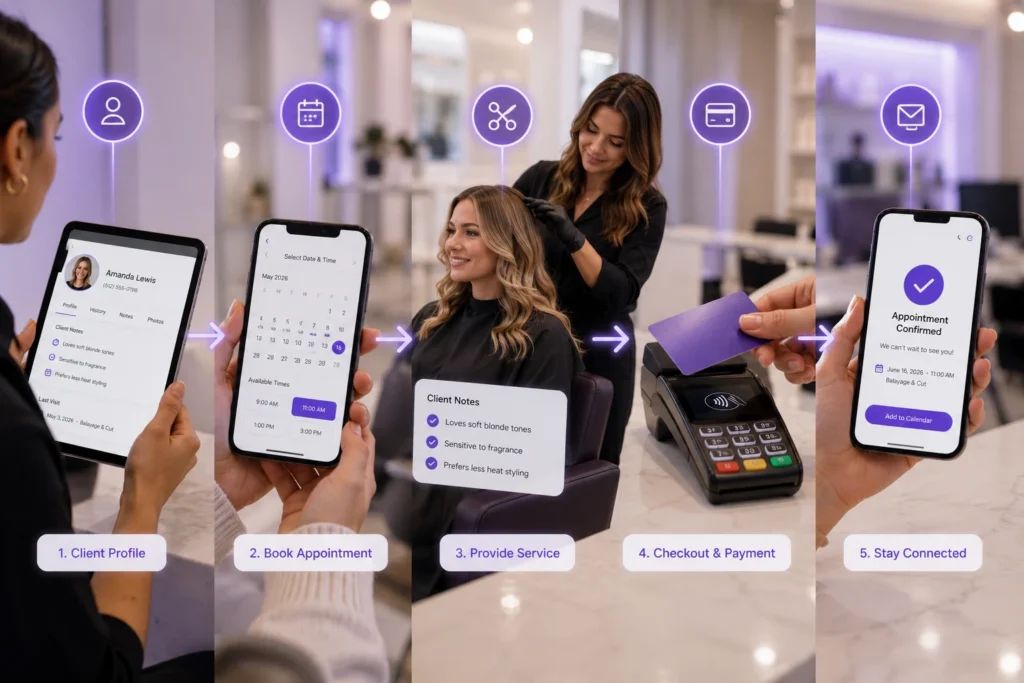
Start with one system of record
Pick a single place where client data lives. Every booking, note, and payment method should route back to that one profile.
Decide what fields actually matter to your business
A nail salon needs different notes than a med spa. Build your profile around what your team will actually use, not every field a piece of software offers.
Train staff to update notes in real time
The best time to log a preference is right after the appointment, while it’s fresh. Waiting until end of day means details get lost.
Connect client data to booking and checkout
A profile is far more useful when it’s part of the same flow as scheduling and payment, not a separate lookup step.
Review and clean up old profiles regularly
Duplicate entries and outdated contact info pile up over time. A quarterly cleanup keeps your data trustworthy.
Keeping this organized by hand gets harder as a business grows. Software like PandaCue keeps client profiles, visit history, and communication together automatically, so your team isn’t re-entering the same information across different tools.
How Client Management Connects to the Rest of Your Business
Client data doesn’t do much sitting on its own. It’s most useful when it’s linked to the tools your team already uses every day.
When client profiles connect to online booking, returning clients get a faster, more personal scheduling experience instead of filling out the same form every time.
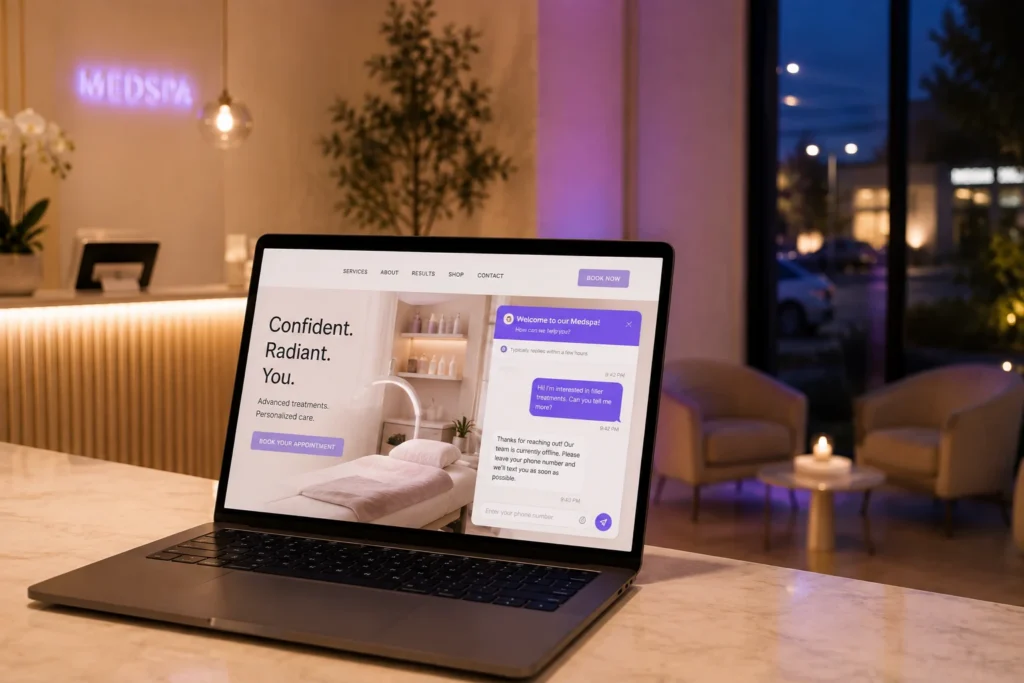
When they connect to payments and checkout, saved cards make it easy to charge for memberships, packages, or no-show fees without chasing clients down.
When they connect to marketing tools, you can send a rebooking reminder to clients who haven’t visited in a while, based on real visit history instead of guesswork.
And when they connect to your calendar and scheduling, staff can see client notes right on the appointment card, not buried in a separate tab.
PandaCue keeps these pieces linked from the start, so a client’s profile updates automatically as they book, pay, and interact with your business — no manual syncing required.
FAQs
What’s the difference between a CRM and client management software for a salon?
A generic CRM is built for sales pipelines and leads. Client management software for salons is built around the actual client journey: booking, service history, notes, and rebooking. It fits how a salon or spa really works.
Do small, single-location salons need client management software? Yes, even more than larger businesses in some ways. A solo stylist relying on memory has no backup if they get sick, take time off, or simply forget a detail. A digital profile protects that knowledge.
Can client management software help with no-shows?
Yes. Saved payment methods and visit history let you apply no-show fees fairly and spot patterns, like a client who repeatedly cancels last minute, so you can address it directly.
Is client data in this kind of software secure?
Reputable salon and spa software encrypts client data and restricts access based on staff roles. Front desk staff might see contact info and appointments, while only certain roles can view saved payment details.
How is this different from just using a spreadsheet?
A spreadsheet doesn’t update itself when someone books, pays, or cancels. It also doesn’t sync with your calendar or checkout, so someone has to manually keep it current which is where most spreadsheets fall apart.
Can client profiles carry over across multiple locations?
With the right software, yes. A client who visits one location shows up with full history at another, instead of starting over as a stranger each time.
The Bottom Line
Client management isn’t about collecting data for its own sake. It’s about making sure the right details show up at the right moment, so every visit feels personal, even as your business grows.
The salons and spas that keep clients longest aren’t necessarily the ones with the fanciest services. They’re the ones that remember.
Software just makes that memory reliable instead of hoping one person’s notebook never gets lost.