


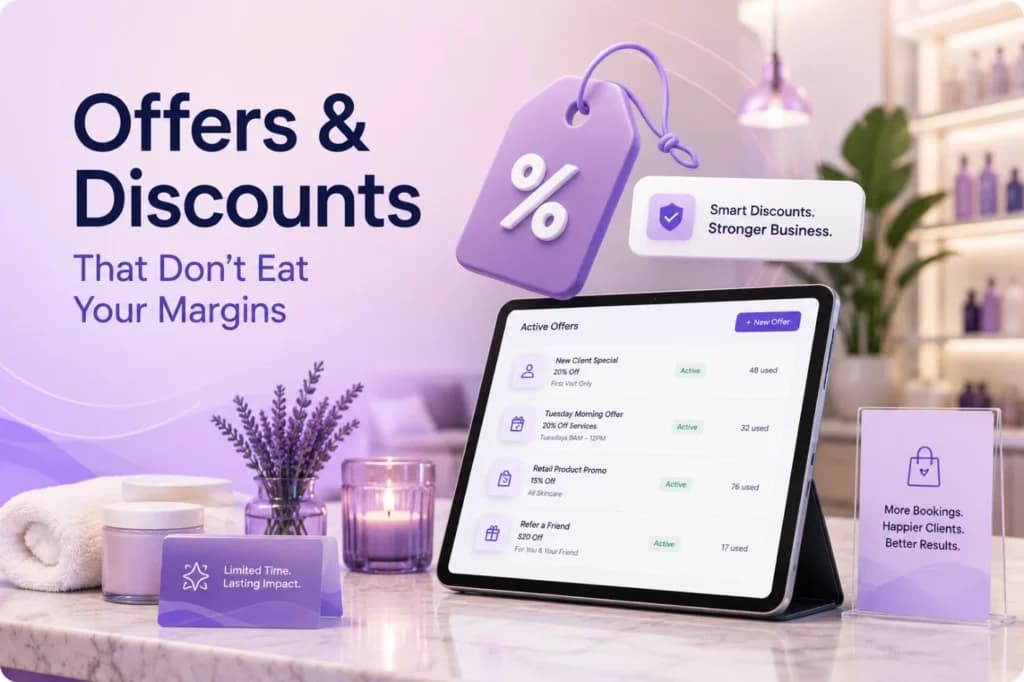
PandaCue’s Offers & Discounts feature lets salons and spas create, schedule, and control promotions from inside the same system used for booking and checkout.
Owners set the discount type, the rules around who can use it, and the dates it runs. Front desk staff apply it at checkout with one click. No spreadsheets.
No sticky notes at the register.
The point isn’t just running a sale. It’s running one you can actually track and shut off before it costs you money.
Why Discounts Are Riskier Than They Look
A 15% off promotion sounds simple. In practice, it touches five different things at once: pricing, staff commissions, inventory, reporting, and client expectations.
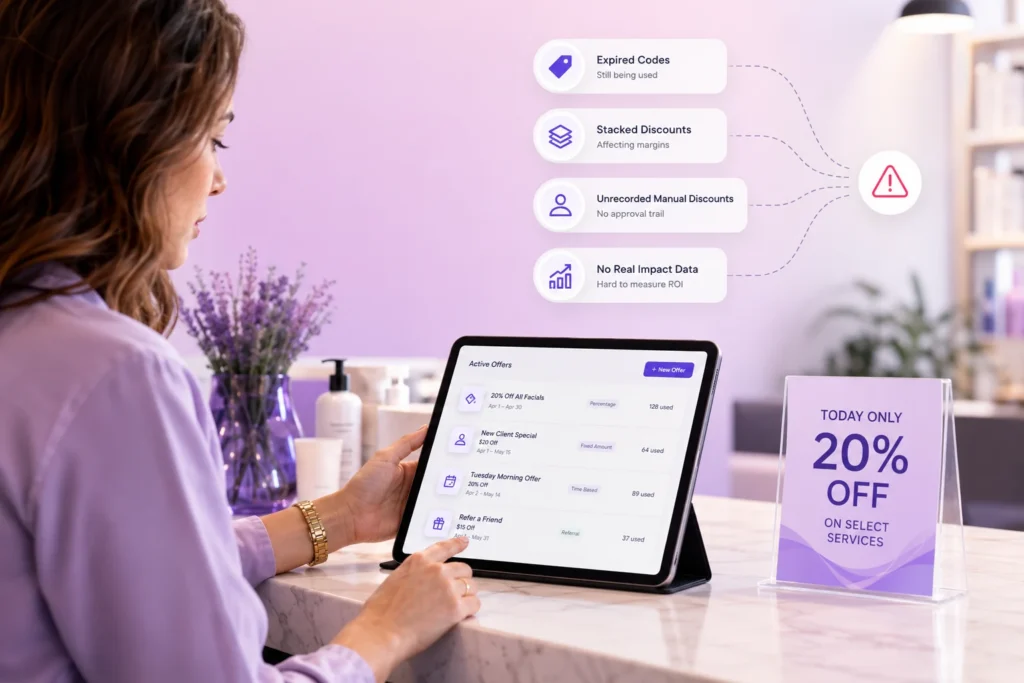
Most salons and spas don’t lose money on the discount itself.
They lose money on what happens after: a stylist keeps applying an expired code, a client assumes a one-time offer is permanent, or nobody can say afterward whether the promotion actually brought in new business.
Offers & Discounts exists to close that gap. Every promotion has a start date, an end date, and a record of who used it and when.
Types of Offers PandaCue Supports
Different situations call for different kinds of discounts. PandaCue supports the formats salons and spas actually use, not a one-size-fits-all coupon box.
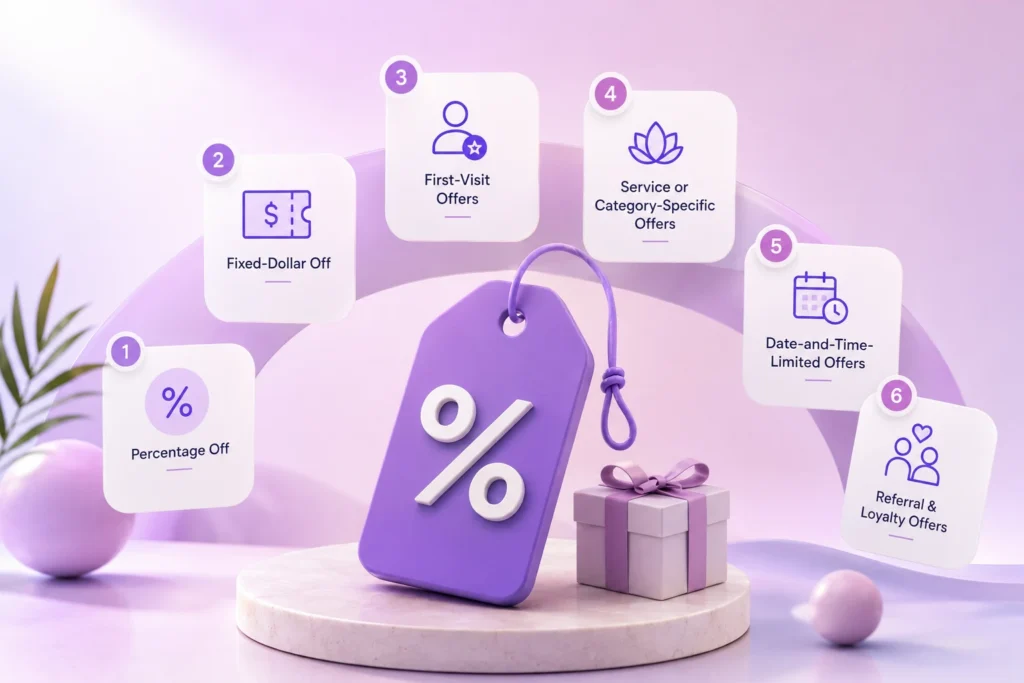
- Percentage off — a flat percentage off a service, product, or full ticket.
- Fixed-dollar off — a set amount off, useful for high-ticket services where a percentage would cut too deep.
- First-visit offers — a lower price for new clients, capped to one use per client.
- Service or category-specific offers — discounts that apply only to certain services, like facials or a slow-season treatment, instead of the whole menu.
- Date-and-time-limited offers — promotions tied to slow hours or a specific week, like a Tuesday-morning discount to fill quiet slots.
- Referral and loyalty-linked offers — a discount triggered when an existing client refers someone new.
Each offer can be limited by service, staff member, client type, or location, so a discount meant for one clinic in a multi-location group doesn’t accidentally apply everywhere.
Common Mistakes Salons Make With Discounts
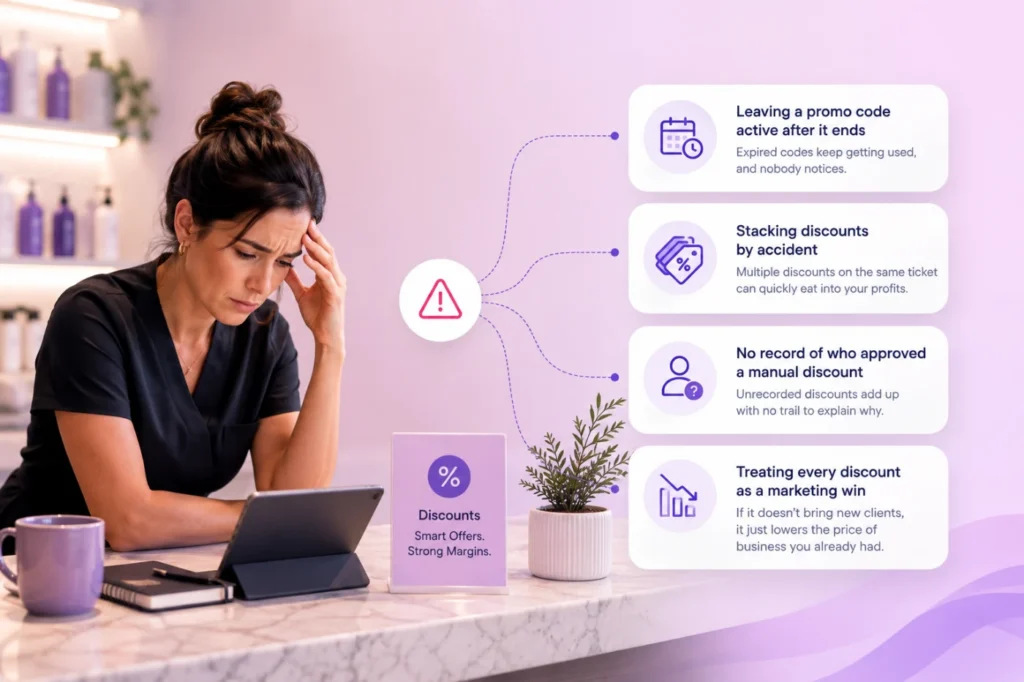
Leaving a promo code active after it ends
Without a hard stop date, front desk staff keep honoring an old discount out of habit, and nobody notices until the monthly numbers look off.
Stacking discounts by accident
A client with a membership discount also gets a seasonal promo applied on top, and the ticket total is wrong before anyone catches it.
No record of who approved a manual discount
A staff member reduces a price at checkout for a regular client. It feels fine in the moment.
Multiplied across a year, unrecorded manual discounts can quietly erode margin with no paper trail to explain why.
Treating every discount as a marketing win
A promotion that only gets used by clients who were already going to book doesn’t grow the business.
It just lowers the price of business you already had.
How to Set Up an Offer in PandaCue
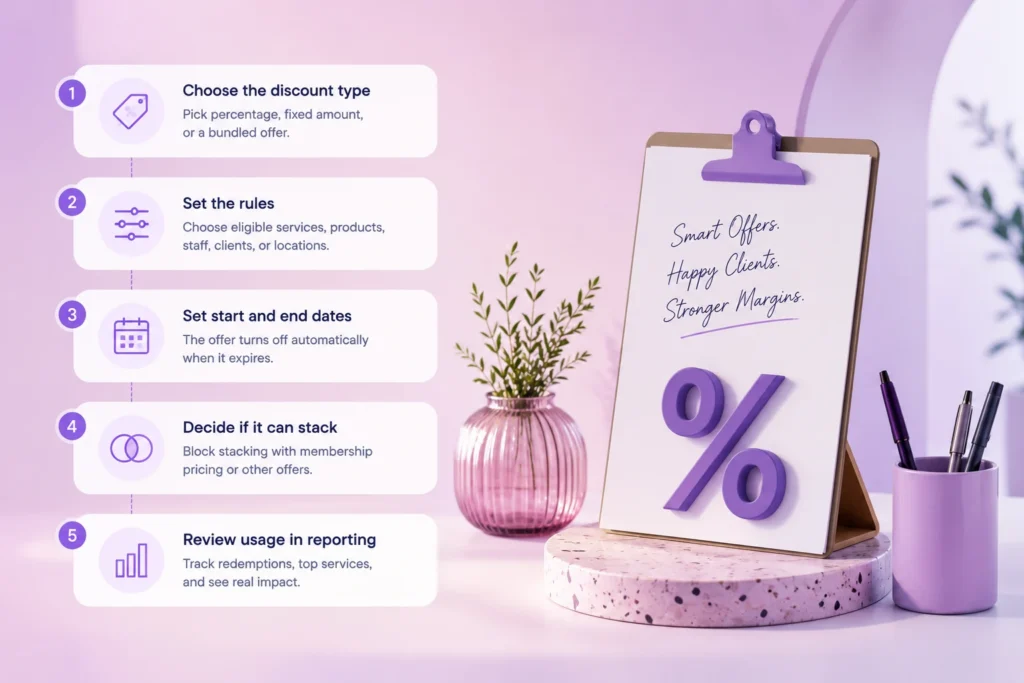
- Choose the discount type. Percentage, fixed amount, or a bundled offer tied to a specific service.
- Set the rules. Which services or products qualify, which staff can apply it, and whether it’s limited to new clients, members, or a specific location.
- Set start and end dates. The offer turns off automatically once it expires. No one has to remember to disable it.
- Decide if it can stack. PandaCue lets you block a promo from combining with membership pricing or another active offer, so totals stay accurate.
- Review usage in reporting. See how many times an offer was redeemed, which services it applied to, and whether it brought in new clients or just discounted existing ones.
That last step is the one most salons skip when they run discounts through a generic point-of-sale system.
Without it, you’re guessing whether a promotion worked.
Example: A Multi-Location Spa Tests a Slow-Season Offer
This example is illustrative, not a real client case. A spa group with three locations noticed Tuesday mornings were consistently quiet across all three sites.
They set up a 20% off offer in PandaCue, limited to Tuesday appointments before noon, active for six weeks.
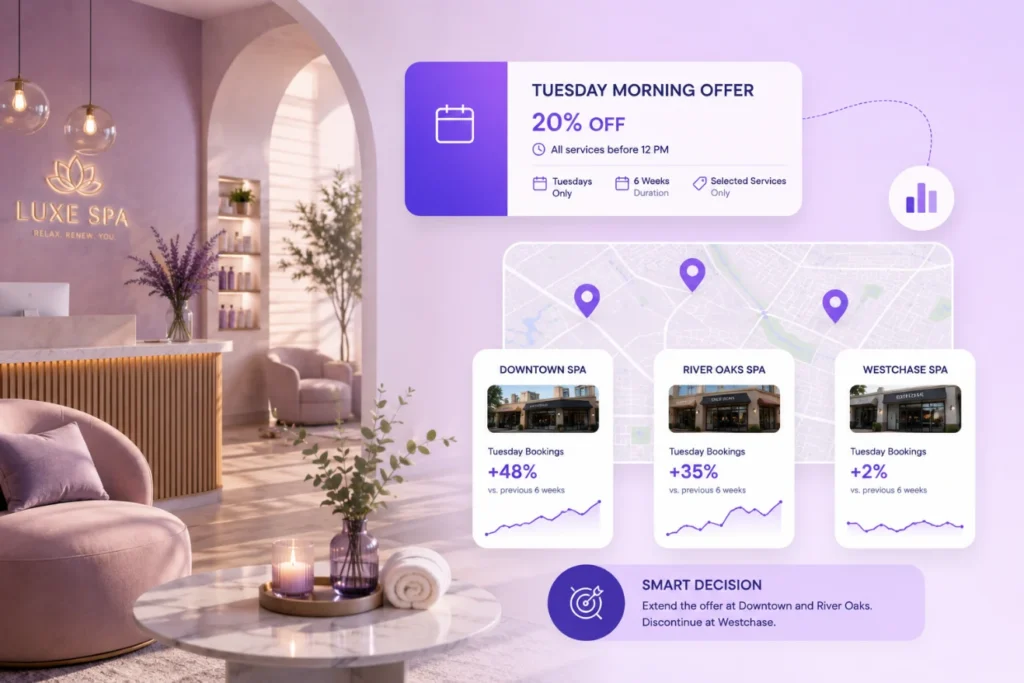
Because the offer was tied to a specific time window and service category, front desk staff didn’t need to manually check eligibility the system only offered it when the booking matched the rules.
At the end of the six weeks, the reporting showed which location saw the biggest lift in Tuesday bookings and which one saw almost no change.
so the owner extended the offer at two locations and dropped it at the third instead of guessing.
Keeping Discounts Under Control
Discount control isn’t only about the offer itself. It’s about who can touch it.

PandaCue lets owners set staff-level permissions on discounts, so a front desk employee can apply an approved promotion but can’t create a new one or discount a ticket past a set limit without manager approval.
For clinics that also manage memberships and packages, this matters even more, since membership pricing and promotional discounts need clear rules for which one applies when a client has both.
FAQs
Can a discount apply to only one location in a multi-location business?
Yes. Offers can be scoped to a specific location, so a promotion built for one clinic doesn’t apply chain-wide by default.
Can two discounts be used on the same ticket?
Only if you allow it. PandaCue lets you block stacking so a membership discount and a promo code don’t combine and undercut your pricing.
Does the system track who used an offer?
Yes. Every redemption is logged with the client, the staff member, and the date, so you can see usage without digging through registers.
What happens when an offer expires?
It turns off automatically at checkout once the end date passes. Staff can’t apply it by mistake, and you don’t need to remember to remove it manually.
Can front desk staff create their own discounts?
Only if you give them that permission. Most clinics limit discount creation to owners or managers and let staff apply pre-approved offers only.
Do discounts affect staff commission calculations?
Yes, and it’s worth checking how your commission structure treats discounted services before running a promotion, since a steep discount on a high-commission service changes payout math.
Before You Launch Your Next Promotion
A discount is only as good as the rules around it. Set an end date, decide who can apply it, and check whether it actually changed booking behavior once it’s over.
That’s the difference between a promotion that grows your business and one that just quietly cuts your prices.
If you’re running offers through spreadsheets or verbal reminders to staff today, PandaCue’s Offers & Discounts feature moves that into one place set the rules once, and the system enforces them at checkout.