
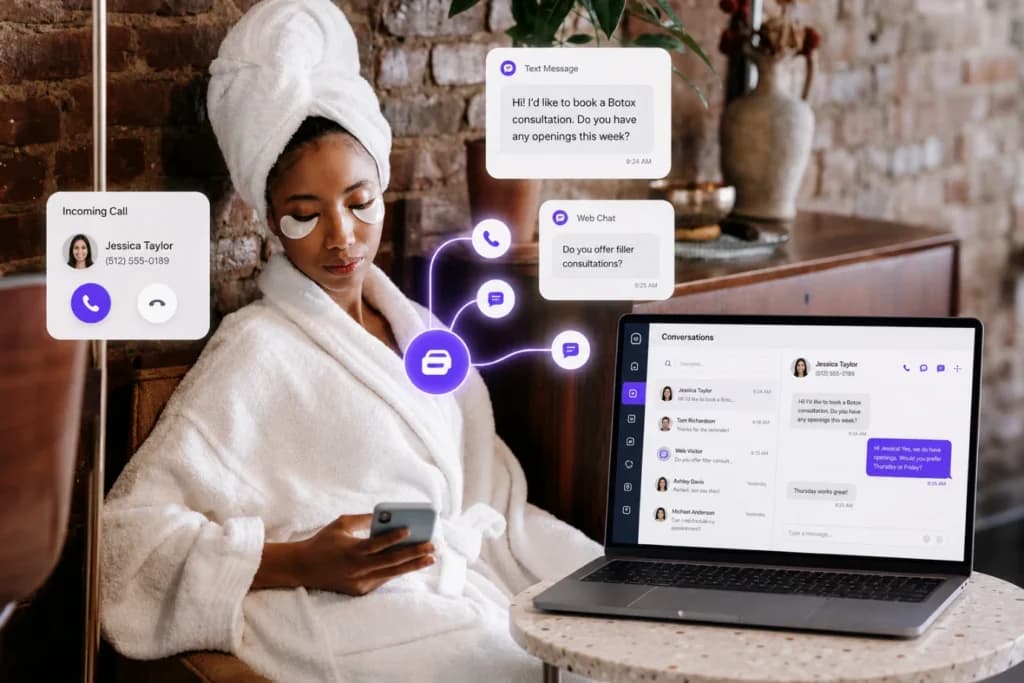
Your front desk answers the phone. A text comes in on a different number. A website visitor asks a question and nobody sees it until the next morning.
That’s three conversations happening in three places, and none of them talk to each other.
We built PandaCue Conversations to fix that. It’s one inbox for every way a client reaches you: phone calls, text messages, and live chat on your website.
What Is PandaCue Conversations?
PandaCue Conversations is a communication feature inside PandaCue that brings phone calls, two-way texting, and website chat into a single inbox tied to each client’s profile.
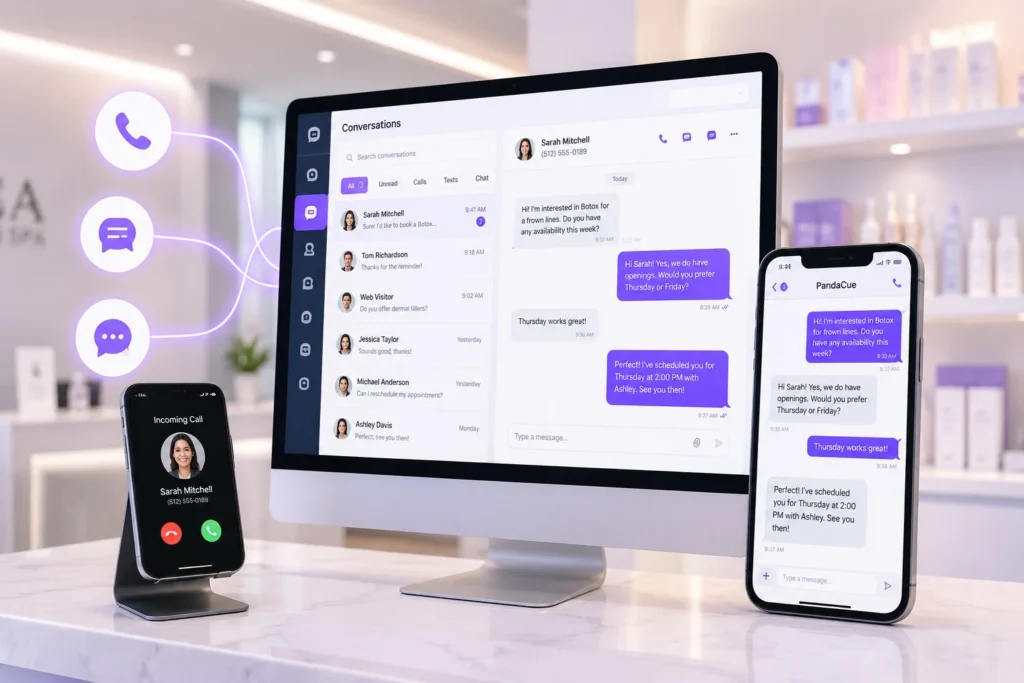
Your staff sees the full history of a conversation, no matter how it started, without switching apps or checking a personal phone.
This matters for med spas because most missed leads aren’t lost to a competitor. They’re lost because nobody saw the message in time.
Why Scattered Communication Hurts a Med Spa
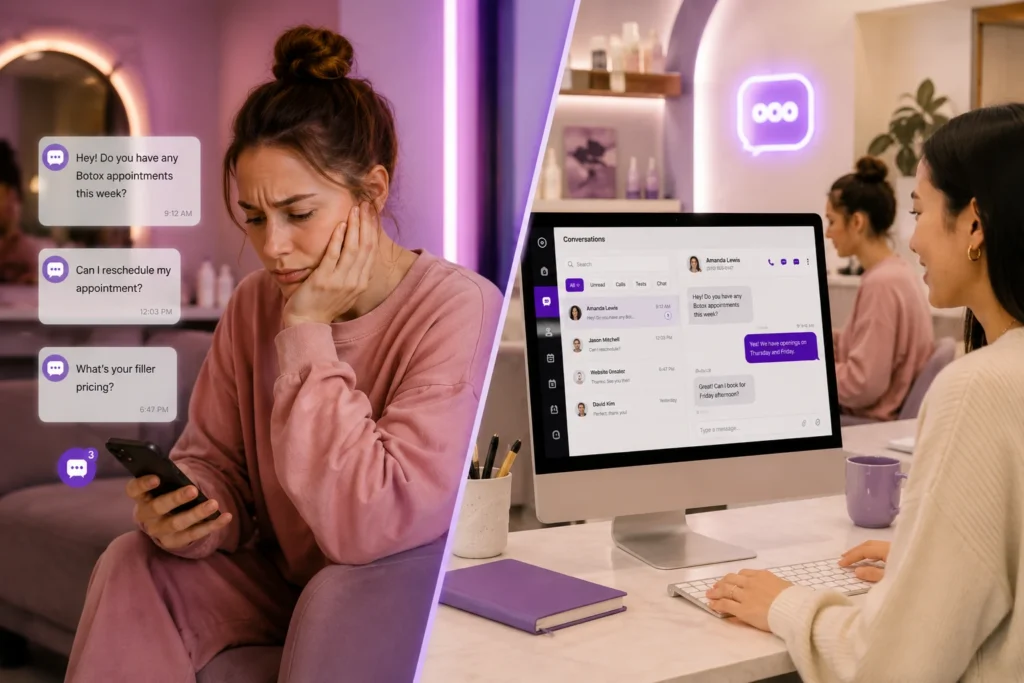
Think about a typical Tuesday. Your coordinator is checking in a client at the desk. A text about a Botox touch-up comes through on the practice cell phone sitting in a drawer.
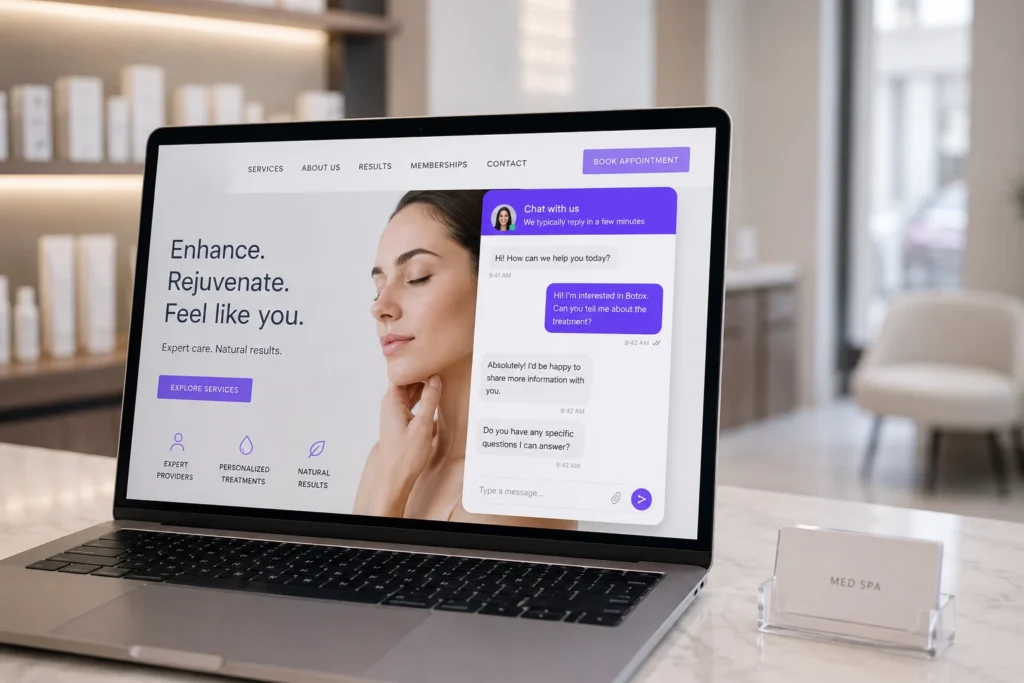
A website visitor is typing a question about filler pricing right now, but there’s no one watching the chat widget.
Each of those is a real client with a real question. If the answer takes six hours, that client often books somewhere else. Med spas run on trust and timing, and slow replies quietly cost revenue every single week.
There’s a second problem too. When staff text clients from personal phones, that conversation lives on a device you don’t control.
If that employee leaves, the message history and the client relationship can walk out the door with them.
The Three Parts of PandaCue Conversations
Web Chat
A chat widget sits on your website so visitors can ask a question without picking up the phone. If someone lands on your Botox page at 9 p.m. wondering about downtime, they can ask right there instead of leaving the site to search Google.
When your team is busy or closed, the widget asks for a phone number so you can follow up by text once you’re free.
Every conversation lands in the same inbox your front desk already checks, so nothing needs a second login.
What it does:
- Gives website visitors a way to ask questions instantly
- Collects a phone number when no one is available to reply
- Sends a desktop and mobile alert the moment a message comes in
- Connects the conversation to the client’s existing profile if they’re already in your system
Phone Calls
PandaCue gives your practice one dedicated number for calls, synced directly with your client list.
When the phone rings, your staff sees who’s calling and can pull up that person’s appointment history before saying hello.
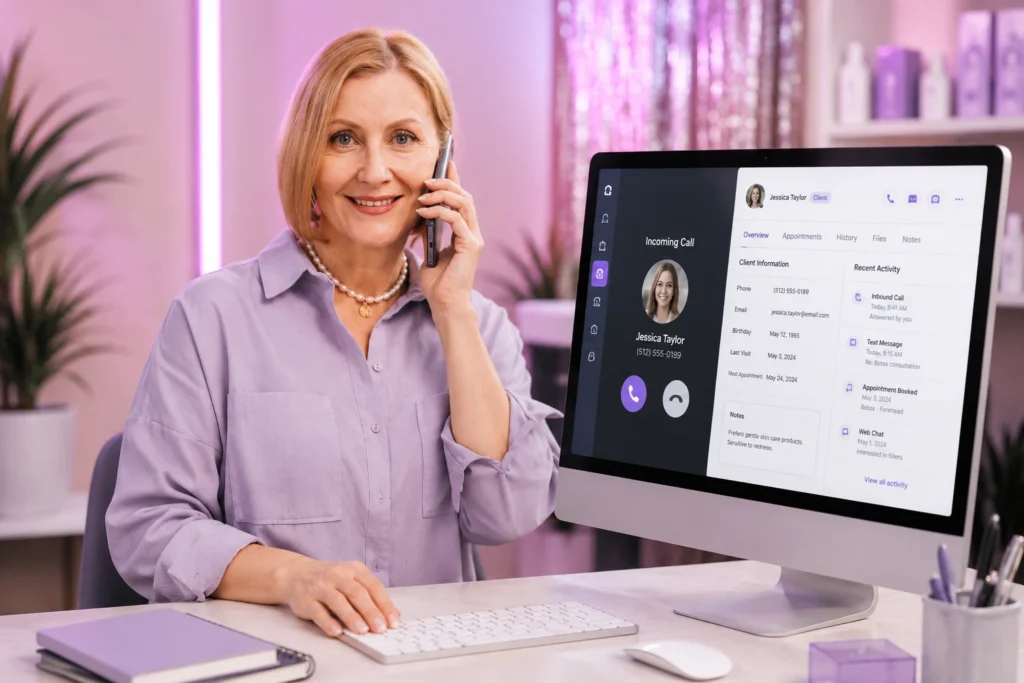
Calls can go out from the desktop app too. Tap a client’s number, and PandaCue rings your staff member’s phone first, then connects the call automatically.
If that call turns into a booking, the system suggests scheduling the exact person on the line, so nobody has to re-enter details they just heard.
Staff can also toggle their own availability off after hours. That one setting is what stops a 10 p.m. text from turning into a personal phone call nobody wanted.
What it does:
- Uses one number for the whole practice instead of personal cell phones
- Shows caller identity and history before you pick up
- Lets staff dial from a client’s profile in the desktop app
- Gives each team member control over when they’re reachable
Two-Way Texting
Appointment reminders, confirmations, and casual check-ins all run through the same number clients already recognize.
There’s no confusion between “the booking number” and “the number that actually replies.”
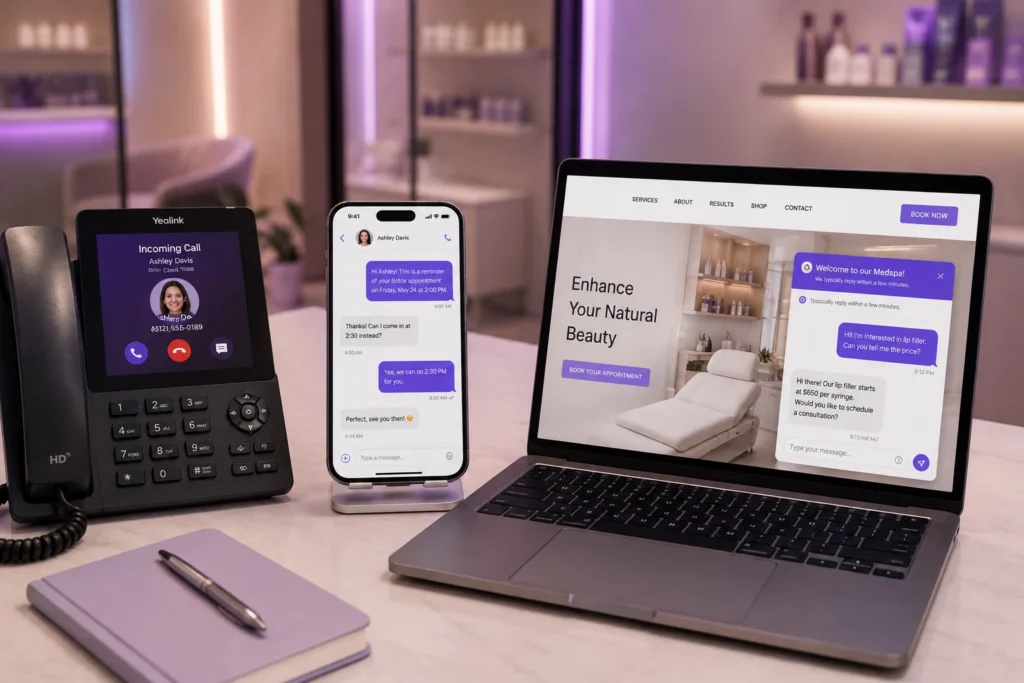
A client running late can text instead of calling and waiting on hold. Your team replies from the same inbox where the call history and web chat already live, so context never gets lost between channels.
What it does:
- Sends and receives texts from the same number used for calls
- Keeps every reply attached to the client’s profile automatically
- Lets front desk staff answer from a computer instead of a phone
- Reduces no-shows by making it easy for clients to reply to reminders
A Realistic Example
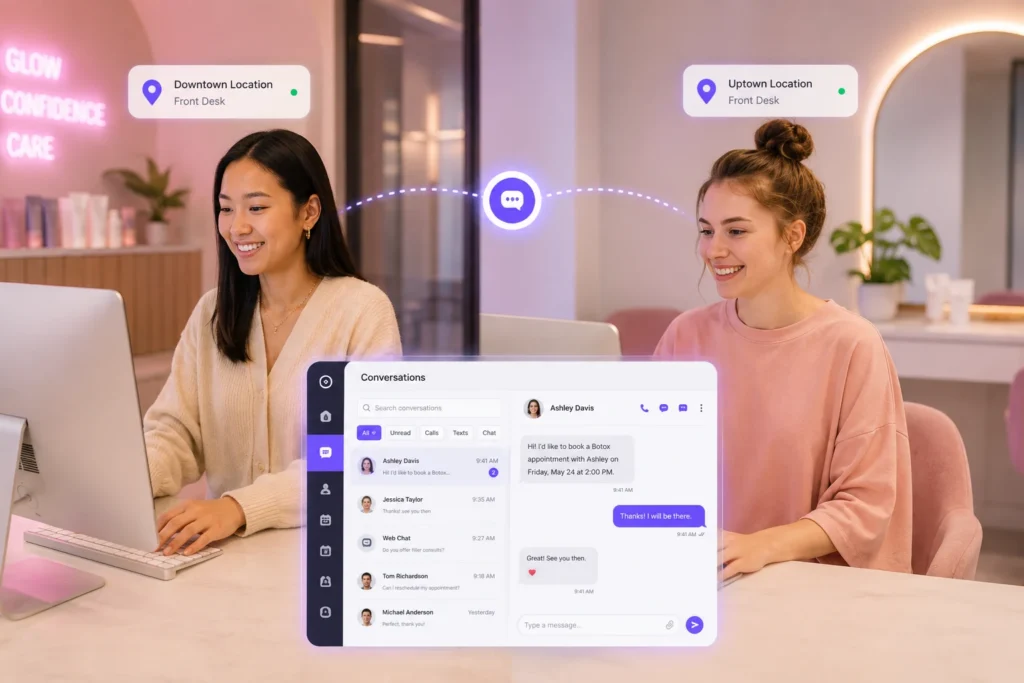
Picture a med spa with two locations and a front desk team of three. Before Conversations, one staff member kept the “business phone” in her bag.
Texts about rescheduling would sit unanswered for hours whenever she was off.
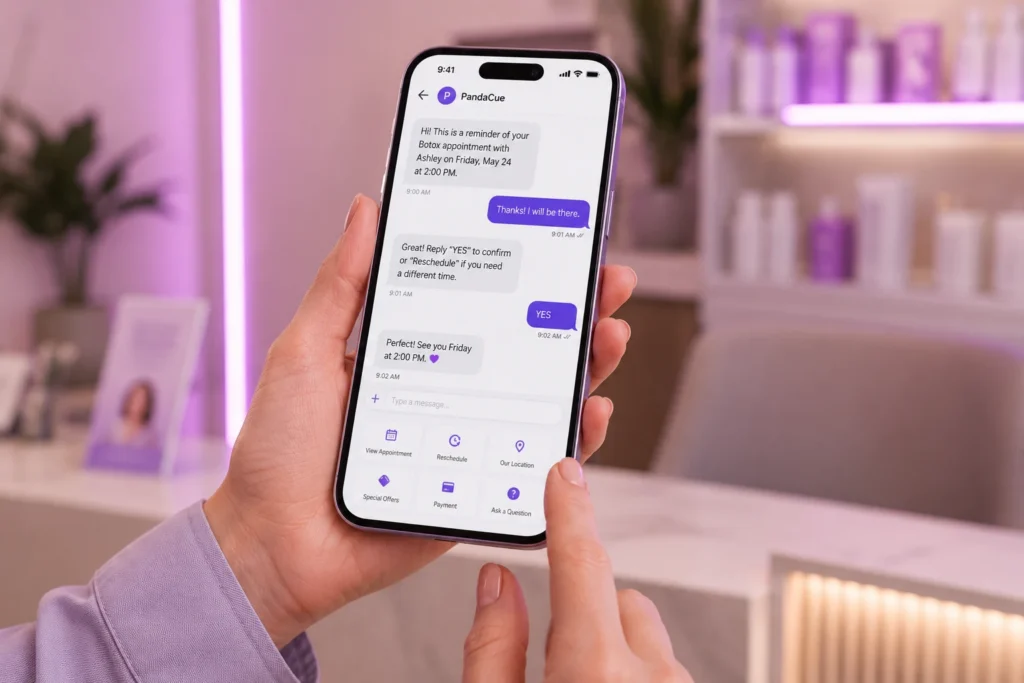
After switching to one shared inbox, any team member on shift can answer a text or take a call, because the conversation isn’t tied to one person’s device.
The owner also noticed something simple: website chat questions about pricing turned into booked consultations the same day, instead of visitors bouncing to search for answers elsewhere.
The lesson isn’t that texting is new. It’s that communication only works when the whole team can see it, not just whoever happens to be holding the phone.
Common Mistakes Med Spas Make With Client Communication
1- Using personal phones for business texts
It feels convenient at first, but you lose the message history the moment that employee leaves, and there’s no record for compliance or dispute resolution.
2- Ignoring the website chat gap
Many med spas add a chat widget and never staff it. An unanswered chat window can feel worse to a visitor than no chat option at all.
3- Treating calls, texts, and chat as separate systems
If a client calls about something they already texted, and your staff has no memory of that text, the client has to repeat themselves. That’s a small thing that adds up to a client feeling unheard.
How This Fits Into the Rest of PandaCue
Conversations isn’t a separate tool bolted onto your account. Every call, text, and chat ties directly into the same client profile your team already uses for scheduling and treatment history.

A reminder your client replies to over text shows up next to the appointment it’s tied to, not in a separate app.
It also connects with marketing automation, so a client who books through web chat can be added to the right follow-up sequence automatically, and with reputation management so a happy client can be asked for a review right after a great visit, all from tools your team is already using.
Frequently Asked Questions
Can more than one staff member use the phone number at once?
Yes. Multiple team members can take calls or reply to texts from the same number, and you control who has access to what.
What happens if no one is available to answer a web chat message?
The widget asks the visitor for a phone number, so your team can send a text reply as soon as someone is free.
Does this work across multiple locations?
Yes. Each location gets its own dedicated number, and conversations stay organized by location inside your account.
Will our staff need training to use this?
Most teams pick it up in a single shift. The inbox works like a normal messaging app, and calls work like a normal phone, just with client history attached.
Is client communication through PandaCue Conversations secure?
Yes. Conversations run through the same HIPAA-aware infrastructure as the rest of your PandaCue account, so client information stays protected.